Applications et fonctionnalités
Récupération d'information sur les applications et fonctionnalités installées et installables
Get-AppxPackage
La commande Get-AppxPackage vous permet de récupérer les informations sur les applications UWP (Universal Windows Platform) installées sur le système.
PS C:\WINDOWS\system32> Get-AppxPackage | Where-Object Name -like *Copilot | Select-Object -Property *


Name                   : Microsoft.Copilot
Publisher              : CN=Microsoft Corporation, O=Microsoft Corporation, L=Redmond, S=Washington, C=US
PublisherId            : 8wekyb3d8bbwe
Architecture           : X64
ResourceId             :
Version                : 1.24122.48.0
PackageFamilyName      : Microsoft.Copilot_8wekyb3d8bbwe
PackageFullName        : Microsoft.Copilot_1.24122.48.0_x64__8wekyb3d8bbwe
InstallLocation        : C:\Program Files\WindowsApps\Microsoft.Copilot_1.24122.48.0_x64__8wekyb3d8bbwe
IsFramework            : False
PackageUserInformation : {}
IsResourcePackage      : False
IsBundle               : False
IsDevelopmentMode      : False
NonRemovable           : False
Dependencies           : {Microsoft.WindowsAppRuntime.1.6_6000.373.1641.0_x64__8wekyb3d8bbwe,
                         Microsoft.VCLibs.140.00.UWPDesktop_14.0.33728.0_x64__8wekyb3d8bbwe,
                         Microsoft.VCLibs.140.00_14.0.33519.0_x64__8wekyb3d8bbwe,
                         Microsoft.Copilot_1.24122.48.0_neutral_split.language-fr_8wekyb3d8bbwe}
IsPartiallyStaged      : False
SignatureKind          : Store
Status                 : Ok
Get-AppxProvisionedPackage
La commande Get-AppxProvisionedPackage vous permet de récupérer les informations sur les applications UWP (Universal Windows Platform) qui seront déployées pour tous les nouveaux utilisateurs. Cette commande peut aussi être utilisée sur un système hors ligne pour visualiser une image d'installation ou un système qui n'est pas démarré.
PS C:\WINDOWS\system32> Get-AppxProvisionedPackage -Online | Where-Object DisplayName -like MSTeams | Select-Object -Property *


Version          : 24295.605.3225.8804
PackageName      : MSTeams_24295.605.3225.8804_x64__8wekyb3d8bbwe
DisplayName      : MSTeams
PublisherId      : 8wekyb3d8bbwe
MajorVersion     : 24295
MinorVersion     : 605
Build            : 3225
Revision         : 8804
Architecture     : 9
ResourceId       :
InstallLocation  : C:\Program Files\WindowsApps\MSTeams_24295.605.3225.8804_x64__8wekyb3d8bbwe\AppxManifest.xml
Regions          : AD;AE;AF;AG;AI;AL;AM;AO;AQ;AR;AS;AT;AU;AW;AX;AZ;BA;BB;BD;BE;BF;BG;BH;BI;BJ;BL;BM;BN;BO;BQ;BR;BS;BT;B
                   V;BW;BY;BZ;CA;CC;CD;CF;CG;CH;CI;CK;CL;CM;CO;CR;CU;CV;CW;CX;CY;CZ;DE;DJ;DK;DM;DO;DZ;EC;EE;EG;ER;ES;ET
                   ;FI;FJ;FK;FM;FO;FR;GA;GB;GD;GE;GF;GG;GH;GI;GL;GM;GN;GP;GQ;GR;GS;GT;GU;GW;GY;HK;HM;HN;HR;HT;HU;ID;IE;
                   IL;IM;IN;IO;IQ;IR;IS;IT;JE;JM;JO;JP;KE;KG;KH;KI;KM;KN;KP;KR;KW;KY;KZ;LA;LB;LC;LI;LK;LR;LS;LT;LU;LV;L
                   Y;MA;MC;MD;ME;MF;MG;MH;MK;ML;MM;MN;MO;MP;MQ;MR;MS;MT;MU;MV;MW;MX;MY;MZ;NA;NC;NE;NF;NG;NI;NL;NO;NP;NR
                   ;NU;NZ;OM;PA;PE;PF;PG;PH;PK;PL;PM;PN;PR;PS;PT;PW;PY;QA;RE;RO;RS;RU;RW;SA;SB;SC;SD;SE;SG;SH;SI;SJ;SK;
                   SL;SM;SN;SO;SR;SS;ST;SV;SX;SY;SZ;TC;TD;TF;TG;TH;TJ;TK;TL;TM;TN;TO;TR;TT;TV;TW;TZ;UA;UG;UM;US;UY;UZ;V
                   A;VC;VE;VG;VI;VN;VU;WF;WS;XK;YE;YT;ZA;ZM;ZW
Path             :
Online           : True
WinPath          :
SysDrivePath     :
RestartNeeded    : False
LogPath          : C:\WINDOWS\Logs\DISM\dism.log
ScratchDirectory :
LogLevel         : WarningsInfo
PS F:\> Get-AppxProvisionedPackage -Path E:\mnt | Where-Object DisplayName -like *Outlook* | Select-Object -Property *
Version : 1.0.0.0
PackageName : Microsoft.OutlookForWindows_1.0.0.0_neutral__8wekyb3d8bbwe
DisplayName : Microsoft.OutlookForWindows
PublisherId : 8wekyb3d8bbwe
MajorVersion : 1
MinorVersion : 0
Build : 0
Revision : 0
Architecture : 11
ResourceId :
InstallLocation : %SYSTEMDRIVE%\Program
Files\WindowsApps\Microsoft.OutlookForWindows_1.0.0.0_neutral__8wekyb3d8bbwe\AppxManifest.xml
Regions : AD;AE;AF;AG;AI;AL;AM;AO;AQ;AR;AS;AT;AU;AW;AX;AZ;BA;BB;BD;BE;BF;BG;BH;BI;BJ;BL;BM;BN;BO;BQ;BR;BS;BT;B
V;BW;BY;BZ;CA;CC;CD;CF;CG;CH;CI;CK;CL;CM;CO;CR;CU;CV;CW;CX;CY;CZ;DE;DJ;DK;DM;DO;DZ;EC;EE;EG;ER;ES;ET
;FI;FJ;FK;FM;FO;FR;GA;GB;GD;GE;GF;GG;GH;GI;GL;GM;GN;GP;GQ;GR;GS;GT;GU;GW;GY;HK;HM;HN;HR;HT;HU;ID;IE;
IL;IM;IN;IO;IQ;IR;IS;IT;JE;JM;JO;JP;KE;KG;KH;KI;KM;KN;KP;KR;KW;KY;KZ;LA;LB;LC;LI;LK;LR;LS;LT;LU;LV;L
Y;MA;MC;MD;ME;MF;MG;MH;MK;ML;MM;MN;MO;MP;MQ;MR;MS;MT;MU;MV;MW;MX;MY;MZ;NA;NC;NE;NF;NG;NI;NL;NO;NP;NR
;NU;NZ;OM;PA;PE;PF;PG;PH;PK;PL;PM;PN;PR;PS;PT;PW;PY;QA;RE;RO;RS;RU;RW;SA;SB;SC;SD;SE;SG;SH;SI;SJ;SK;
SL;SM;SN;SO;SR;SS;ST;SV;SX;SY;SZ;TC;TD;TF;TG;TH;TJ;TK;TL;TM;TN;TO;TR;TT;TV;TW;TZ;UA;UG;UM;US;UY;UZ;V
A;VC;VE;VG;VI;VN;VU;WF;WS;XK;YE;YT;ZA;ZM;ZW
Path : E:\mnt
Online : False
WinPath :
SysDrivePath :
RestartNeeded : False
LogPath : C:\WINDOWS\Logs\DISM\dism.log
ScratchDirectory :
LogLevel : WarningsInfoGet-WindowsCapability
La commande Get-WindowsCapability nous permet de récupérer les informations sur les fonctionnalités avancées/optionnelles de Windows telles que les outils d'administration de serveurs à distance, les services s'il s'agit d'un serveur windows où les packs de languages installés et disponibles. Cette commande peut aussi être utilisée sur un système hors ligne pour visualiser une image d'installation ou un système qui n'est pas démarré.
PS C:\WINDOWS\system32> Get-WindowsCapability -Online | Where-Object Name -like OpenSSH* | Select-Object -Property *


Name             : OpenSSH.Client~~~~0.0.1.0
State            : Installed
Path             :
Online           : True
WinPath          :
SysDrivePath     :
RestartNeeded    : False
LogPath          : C:\WINDOWS\Logs\DISM\dism.log
ScratchDirectory :
LogLevel         : WarningsInfo

Name             : OpenSSH.Server~~~~0.0.1.0
State            : NotPresent
Path             :
Online           : True
WinPath          :
SysDrivePath     :
RestartNeeded    : False
LogPath          : C:\WINDOWS\Logs\DISM\dism.log
ScratchDirectory :
LogLevel         : WarningsInfo
PS F:\> Get-WindowsCapability -Path E:\mnt | Where-Object State -like Installed | Select-Object -Property Name
Name
----
App.StepsRecorder~~~~0.0.1.0
Browser.InternetExplorer~~~~0.0.11.0
DirectX.Configuration.Database~~~~0.0.1.0
Edge.Webview2.Platform~~~~
Hello.Face.20134~~~~0.0.1.0
Language.Basic~~~en-US~0.0.1.0
Language.Basic~~~fr-CA~0.0.1.0
Language.Basic~~~fr-FR~0.0.1.0
Language.Handwriting~~~fr-FR~0.0.1.0
Language.OCR~~~en-US~0.0.1.0
Language.OCR~~~fr-CA~0.0.1.0
Language.Speech~~~fr-CA~0.0.1.0
Language.TextToSpeech~~~fr-CA~0.0.1.0
MathRecognizer~~~~0.0.1.0
Media.WindowsMediaPlayer~~~~0.0.12.0
[...]
OneCoreUAP.OneSync~~~~0.0.1.0
OpenSSH.Client~~~~0.0.1.0
VBSCRIPT~~~~
Windows.Client.ProjFS~~~~
Windows.DirectoryServices.ADAM.Client.Content~~~~
Windows.HyperV.OptionalFeature.VirtualMachinePlatform.Client.Disabled~~~~
Windows.Kernel.LA57~~~~0.0.1.0
Windows.SimpleTCP.Content~~~~
Windows.Telnet.Client~~~~
Windows.TerminalServices.AppServerClient~~~~
Windows.TFTP.Client~~~~
Windows.WinOcr~~~~
Windows.WorkFolders.Client~~~~
WMIC~~~~Retrait d'applications et fonctionnalités
Remove-AppxPackage
La commande Remove-AppxPackage peut être utilisée par elle même en mentionnant le nom du package ou conjointement à Get-AppxPackage pour désinstaller un package installé.
PS C:\WINDOWS\system32> Get-AppxPackage | Where-Object Name -like *Copilot | Remove-AppxPackage
PS C:\WINDOWS\system32> Get-AppxPackage | Where-Object Name -like *Copilot
PS C:\WINDOWS\system32>
Remove-AppxProvisionedPackage
La commande Remove-AppxProvisionedPackage retire le(s) package(s) de la liste de ceux qui seront installé pour les nouveaux utilisateurs.
PS F:\> Get-AppxProvisionedPackage -Path E:\mnt | Where-Object DisplayName -like *Outlook* | Remove-AppxProvisionedPackage


Path          : E:\mnt
Online        : False
RestartNeeded : False


PS F:\> Get-AppxProvisionedPackage -Path E:\mnt | Where-Object DisplayName -like *Outlook*
PS F:\>
Ces deux commandes pourraient être utilisées en conjonction avec un tableau pour désinstaller une liste d'application dans un script de préparation de nouveau système.
$list = @()
$list += '*Teams'
$list += '*BingSearch'
$list += '*BingNews'
$list += '*MicrosoftOfficeHub*'
$list += '*Game*'
$list += '*Gaming*'
$list += '*Solitaire*'
$list += '*Help*'
$list += '*Hub'
$list += '*QuickAssist*'

Foreach ($i in $list) {
	Get-AppxPackage | Where-Object Name -like $i | Remove-AppxPackage -AllUsers
}
Ajout d'applications et fonctionnalités
Quoi qu'il soit parfois difficile de trouver les packages .msix et .msixbundle, le site suivant permet de générer des liens de téléchargement pour les fichiers d'installation des applications du Microsoft Store.
Add-AppxProvisionedPackage
Cette commande est utilisée pour déployer une application à tous les utilisateurs d'un système ou pour injecter une application dans une image d'installation de Windows.
Les commandes suivantes ajouteraient Microsoft PC Manager et sa dépendance à une image d'installation de Windows décapsulée avec DISM.
PS F:\> Add-AppxProvisionedPackage -PackagePath F:\Microsoft.WindowsAppRuntime.1.5_5001.373.1736.0_x64__8wekyb3d8bbwe.Msix -Path E:\mnt -SkipLicense


Path          : E:\mnt
Online        : False
RestartNeeded : False


PS F:\> Add-AppxProvisionedPackage -PackagePath F:\Microsoft.MicrosoftPCManager_3.14.18.0_neutral_~_8wekyb3d8bbwe.Msixbundle -Path E:\mnt -SkipLicense


Path          : E:\mnt
Online        : False
RestartNeeded : False

PS F:\> Get-AppxProvisionedPackage -Path E:\mnt | Where-Object DisplayName -like *Manager*


DisplayName  : Microsoft.MicrosoftPCManager
Version      : 3.14.18.0
Architecture : neutral
ResourceId   : ~
PackageName  : Microsoft.MicrosoftPCManager_3.14.18.0_neutral_~_8wekyb3d8bbwe
Regions      :
Les commandes suivantes installeraient Microsoft PC Manager et sa dépendance pour tous les utilisateurs d'un système sur lequel les commandes seraient exécutées.
PS C:\Users\Info\Desktop> Add-AppxProvisionedPackage -PackagePath .\Microsoft.WindowsAppRuntime.1.5_5001.373.1736.0_x64__8wekyb3d8bbwe.Msix -Online -SkipLicense


Path          :
Online        : True
RestartNeeded : False


PS C:\Users\Info\Desktop> Add-AppxProvisionedPackage -PackagePath .\Microsoft.MicrosoftPCManager_3.14.18.0_neutral_~_8wekyb3d8bbwe.Msixbundle -Online -SkipLicense


Path          :
Online        : True
RestartNeeded : False

PS C:\Users\Info\Desktop> Get-AppxProvisionedPackage -Online | Where-Object DisplayName -like *Manager*


DisplayName  : Microsoft.MicrosoftPCManager
Version      : 3.14.18.0
Architecture : neutral
ResourceId   : ~
PackageName  : Microsoft.MicrosoftPCManager_3.14.18.0_neutral_~_8wekyb3d8bbwe
Regions      :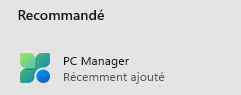
Add-AppxPackage
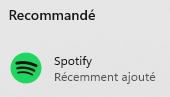
La commande suivante installerait Spotify et ses dépendances pour l'utilisateur exécutant la commande.
PS C:\Users\Info\desktop> Get-Item -Path .\Spotify\* | Add-AppxPackage
PS C:\Users\Info\desktop> Get-AppxPackage | Where-Object Name -like *Spotify* | Select-Object -Property *


Name                   : SpotifyAB.SpotifyMusic
Publisher              : CN=453637B3-4E12-4CDF-B0D3-2A3C863BF6EF
PublisherId            : zpdnekdrzrea0
Architecture           : X64
ResourceId             :
Version                : 1.255.235.0
PackageFamilyName      : SpotifyAB.SpotifyMusic_zpdnekdrzrea0
PackageFullName        : SpotifyAB.SpotifyMusic_1.255.235.0_x64__zpdnekdrzrea0
InstallLocation        : C:\Program Files\WindowsApps\SpotifyAB.SpotifyMusic_1.255.235.0_x64__zpdnekdrzrea0
IsFramework            : False
PackageUserInformation : {}
IsResourcePackage      : False
IsBundle               : False
IsDevelopmentMode      : False
NonRemovable           : False
Dependencies           : {Microsoft.WindowsAppRuntime.1.2_2000.802.31.0_x64__8wekyb3d8bbwe,
                         Microsoft.VCLibs.140.00_14.0.33519.0_x64__8wekyb3d8bbwe,
                         Microsoft.VCLibs.140.00.UWPDesktop_14.0.33728.0_x64__8wekyb3d8bbwe}
IsPartiallyStaged      : False
SignatureKind          : Store
Status                 : Ok